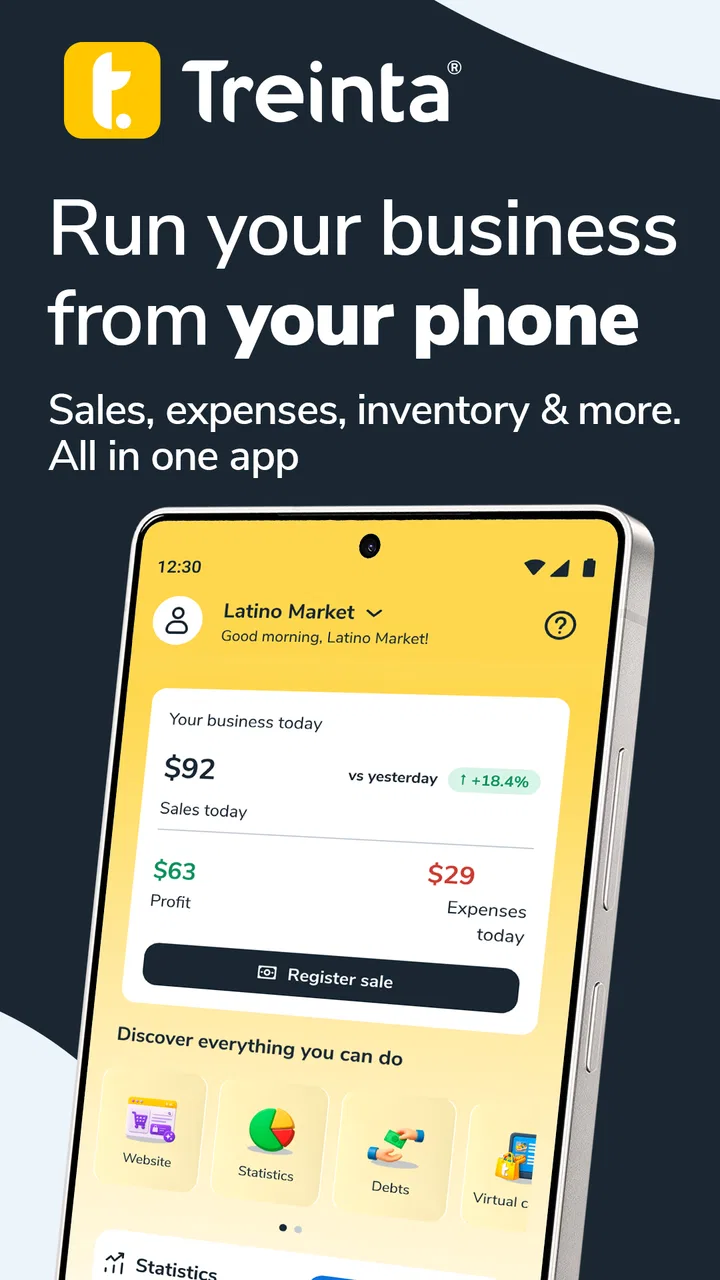
Treinta - Gestiona tu negocio
- 4.5
- Rating
- 10.00M
- Installs
- Free
- Price

 Analysis by App-foxy
Running a small business often becomes difficult for a surprisingly simple reason: sales, expenses, debts, and stock information end up scattered across notebooks, messages, and memory. I tried Treinta - Gestiona tu negocio with that problem in mind, treating it less like a polished corporate finance platform and more like a practical organizer for an independent shop or service business. My impression is that it is at its best when you need a clear daily record without wanting to learn complicated accounting software.
Treinta is a free finance app from Treinta, aimed especially at small businesses in Latin America. It has reached over ten million installs and holds a 4.5 average from more than one hundred thousand ratings, which gives it a strong level of visibility among mobile bookkeeping tools. The app is rated for Everyone, so its presentation is approachable rather than intimidating. That matters when the person using it is also buying supplies, serving customers, answering messages, and closing the shop at night.
What I would check before choosing a business finance app
My first decision criterion is not the number of buttons on the screen; it is whether I can record a transaction immediately. A useful small-business tool has to fit into the few seconds between customers. If entering a sale feels like office work, I know I will eventually stop doing it. Treinta makes sense for someone who wants a phone-based routine for recording business activity instead of maintaining a paper ledger.
You May Also Like

 Blood Strike: 2.5 Anniversary
Blood Strike’s Loadouts Turn Every Drop Into a Tactical Gamble
A close look at Blood Strike’s custom loadouts: how fast access to signature weapons reshapes its battle royale rhythm, rewards preparation, and narrows the gap between fights.

 Pandora - Music & Podcasts
Pandora’s Music Is Easy to Start, but Harder to Recover
Pandora’s strength is its low-effort path from a seed to a station. Its weak spot is how much confidence it asks you to place in connection, setup, and quiet recovery.

 8 Ball Pool
 Is Built on Rivalries, Rematches, and Routine
A close look at the rivalries, rematches, shared routines, and unanswered safety questions that turn a quick pool match into a persistent mobile community.

 Samsung Music
’s Quiet Strength Is Playing What You Already Own
Its reach comes less from spectacle than from dependable access to a personal library. That simplicity is both the app’s strongest retention engine and its ceiling.

 AccuWeather: Weather Radar
AccuWeather Review: A Quick, Clear Forecast for Everyday Decisions
For everyday plans, the best forecast is the one you can understand quickly. AccuWeather makes rain timing, radar, and local conditions easy to act on, with a few trade-offs.

 Hill Climb Racing
Why Hill Climb Racing Still Turns Crashes Into One More Run
A tiny car, a bumpy hill and one more upgrade: Hill Climb Racing keeps resurfacing because its simple chaos makes every near-miss feel personal.
More From Our News Desk
View All News


The second criterion is clarity. A business owner should be able to look back and understand whether money came from sales, went toward expenses, or is still owed. Treinta’s value comes from bringing those everyday movements into one place. It is not simply a calculator, and it is not trying to behave like a full professional accounting suite. I see it as a lightweight operating record for people who need order before they need advanced financial analysis.
The third question is who will use the information. If you run a small store alone, a simple mobile workflow may be enough. If several employees need different permissions, or if an accountant expects formal records in a particular format, the decision becomes more complicated. In that situation, I would test the app with a real week of transactions before moving the entire business into it.
There is also a language and context advantage. The store summary presents the app as a way to organize a Latin American business and grow with confidence, and that positioning is reflected in the straightforward tone. I found it easier to imagine using it in a neighborhood shop, food stall, beauty service, repair business, or independent delivery operation than in a large company with specialized departments.
A realistic daily workflow
Imagine a small snack shop that opens early. During the day, the owner records sales as they happen instead of trying to reconstruct them from cash at closing time. When supplies are purchased, that expense is entered separately. A customer who will pay later can be tracked as a pending amount rather than being treated as completed income. At night, the owner reviews the day and compares the result with the cash actually available.
That routine sounds basic, but it addresses a common failure point: confusing revenue with money that can safely be spent. A busy day can look successful while expenses, credit sales, and supplier payments are being forgotten. The practical benefit of Treinta is not that it magically manages the business; it gives the owner a habit and a visible record.
My advice is to define a small set of consistent categories before entering a lot of history. For example, keep ingredients, transport, rent, and personal withdrawals distinct if those differences matter to your decisions. The app becomes less useful when every entry is given a vague label. A few minutes spent creating a repeatable routine will make later reviews much more meaningful.
Where Treinta is especially convincing
The strongest part of this app is its low barrier to entry. I would recommend it first to a person who has never used bookkeeping software and wants to replace a notebook without turning the business into an accounting project. The mobile format suits owners who are rarely sitting at a desk, and the free entry point makes it easier to try the workflow before committing emotionally or financially.
It is also a good fit for businesses where the owner needs a daily snapshot rather than a complex monthly close. A home baker, independent barber, market seller, or small repair technician may care most about knowing what came in, what went out, and which customers still owe money. For these users, simplicity is not a missing feature; it is the reason the app can become part of the day.
Another strength is the psychological effect of recording small expenses. People often remember large purchases but overlook repeated minor costs. Entering those transactions makes the business feel less mysterious. I found that this kind of visibility can improve decisions even before the owner changes prices or increases sales, because it reveals where money is quietly leaving.
The most useful habit is recording each movement close to the moment it happens, not waiting for memory to do the accounting. If you postpone everything until the end of the week, the app can become another chore. If you use it as a quick log throughout the day, it has a much better chance of reflecting reality.
Small workflows that make a noticeable difference
One practical approach is to separate business money from personal money in the records, even when both use the same physical wallet. A personal withdrawal should not look like a supplier expense. Keeping that distinction visible helps answer a question many small operators struggle with: is the business underperforming, or am I simply taking money out of it without labeling the movement?
A second useful workflow is to review unpaid customer balances before accepting more informal credit. In many small businesses, the problem is not a lack of sales but the delay between delivering a product and receiving payment. A quick review can help the owner decide whether to request payment, set a limit, or stop extending credit to a particular customer.
A third is to use the app as a preparation tool before restocking. Instead of ordering based only on what appears to be missing, look at recent expenses and sales patterns recorded in the business history. Treinta will not replace careful stock counting or supplier negotiation, but it can provide a more grounded starting point than guesswork.
These workflows are valuable because they turn a record into a decision. Simply entering transactions is not enough. The owner should use the information to decide what to reorder, which costs deserve attention, and whether a customer balance is becoming risky.
Where a different category of app may fit better
Treinta is not automatically the right choice for every business. If your priority is formal accounting, tax preparation, payroll, invoicing with strict compliance requirements, or detailed reports for an accountant, a dedicated accounting platform may be a better fit. Those tools are usually more demanding, but their structure can be worthwhile when legal and financial reporting matters more than speed.
A point-of-sale system may also be preferable for a busy retail operation. A POS-focused product is designed around checkout flow, receipts, staff activity, and sometimes hardware. Treinta is more appealing when the owner wants a broad business record on a phone, not when a queue of customers needs rapid scanning and payment processing.
Inventory-heavy businesses should think carefully as well. If you manage many product variations, batches, purchase orders, or warehouse locations, a specialized inventory tool may provide better control. Treinta can support a simpler operation where financial awareness is the main need, but I would not choose a lightweight finance app as the only system for a complex distribution business.
There is a similar trade-off with spreadsheets. A spreadsheet gives you freedom to design formulas and reports, but that freedom also creates maintenance work and opportunities for inconsistent entries. Treinta is less flexible than building your own system, yet that limitation can be an advantage for an owner who needs a ready-made routine and is likely to abandon a complicated template.
What the transition feels like
Switching from paper is easier if you do not attempt to recreate every historical transaction. I would start with the current cash position, active customer balances, recurring expenses, and the products or services that matter most. Then I would use the next normal business day as a clean starting point. This reduces the temptation to spend hours entering imperfect old information.
The first week should be treated as a test of discipline rather than a test of profitability. Notice which transactions are easy to forget: small purchases, partial payments, owner withdrawals, or expenses paid from a personal account. Those are the places where the workflow needs adjustment. If the app is still comfortable after a busy week, it is more likely to become a dependable habit.
Moving from a spreadsheet requires a different approach. Before switching, I would decide which information truly needs to remain in the old file. Keep a separate archive if necessary, but avoid maintaining two active systems indefinitely. Double entry creates conflicting totals and makes it unclear which record should be trusted.
There is also a human cost when more than one person handles the business. Everyone needs the same definitions for sales, expenses, credit, and withdrawals. If one employee records a customer promise as paid while another records it as pending, the problem is not the app itself; it is the lack of a shared procedure. A short written rule beside the phone can prevent many inconsistencies.
The current version is 2.70.17, and the app supports Android 7.0 or later. That makes it accessible to people who are not using the newest phone, although I would still check that the device runs comfortably and that the owner can maintain a reliable backup routine. A finance record is only useful if the person feels confident that it will remain available when needed.
Costs, expectations, and the free starting point
Treinta can be downloaded free of charge, which is important for a new business operating with a tight budget. The app also includes in-app purchases ranging from ninety-nine cents to about one hundred eighty dollars per item. I would not assume that every owner needs to buy anything. Instead, I would begin with the free experience, identify the exact limitation affecting the workflow, and only then consider whether an optional purchase is justified.
This pricing structure makes the decision less about the headline cost and more about control. A free app is valuable when it helps you establish a habit without forcing an early commitment. At the same time, a business should avoid adding paid tools simply because they sound useful. The right question is whether a purchase saves enough time, prevents enough mistakes, or supports enough growth to pay for itself.
For a very small operation, the answer may be no, and that is fine. A notebook can remain adequate when transactions are rare and the owner has excellent recall. Treinta becomes more compelling when the business has enough daily activity that memory is unreliable but not enough complexity to justify a full accounting system.
Who should use it—and who should skip it
I would point Treinta toward independent owners who want a simple financial routine, especially those moving away from handwritten notes. It is a sensible match for a shop, side business, service provider, or family operation where one person makes most decisions and needs information while working away from a desk.
I would be more cautious if your business depends on formal compliance reports, multiple staff roles, deep inventory management, or integration with a larger financial workflow. In those cases, test whether the records can be used by your accountant and whether the app handles the distinctions your operation requires. If it cannot, choosing a specialized alternative early will be less painful than migrating after years of history.
I would also skip it if you are unwilling to record transactions consistently. No finance app can correct missing information. Treinta can make organization easier, but it cannot tell whether an unrecorded cash purchase happened or whether a personal expense was mixed into business money. The owner’s routine remains the decisive factor.
My recommendation after using it as a decision tool
My recommendation is positive for the right scale of business. Treinta - Gestiona tu negocio is a practical first step for someone who needs more structure than a notebook but less complexity than professional accounting software. Its free availability, approachable design, and focus on everyday business movements make it easy to justify trying.
I would install it with one specific goal: create a dependable record of sales, expenses, and money still owed. I would not expect it to replace every specialized tool a growing company might eventually need. Start with a clean routine, review the information regularly, and pay only for extras that solve a clearly observed problem.
Treinta’s 4.5 average and broad adoption suggest that many people find this level of organization useful, but popularity should not decide the purchase by itself. The real test is whether you can record a transaction during a busy day and understand the result later without extra detective work. In my view, that is where the app earns its place.
If your business is small, mobile, and currently managed through scattered notes, I would recommend giving it a serious trial. If you already need formal accounting, complex stock control, or a multi-user operational system, choose a tool built for that category instead. Treinta is strongest as a clear daily business companion, not as a universal replacement for every financial system.
FAQs for Treinta - Gestiona tu negocio
01What is Treinta - Gestiona tu negocio used for?
Treinta - Gestiona tu negocio is a mobile business-management app designed mainly for small businesses, independent sellers, and entrepreneurs. It helps you record sales and expenses, organize products, monitor cash flow, and review basic business performance from your phone. In practice, it can replace a paper notebook with a more structured digital record, making it easier to understand daily operations and keep financial information in one place.
02Is Treinta suitable for beginners with no accounting experience?
Yes, Treinta is generally aimed at users who need simple business tools rather than professional accounting software. Its interface focuses on everyday actions such as registering a sale, adding an expense, or checking business totals. You do not need advanced financial knowledge to begin, although you should still enter information carefully and consistently. The app is most useful when you make it part of your regular daily routine.
03Can I manage inventory and track products with Treinta?
Treinta includes tools intended to help business owners organize products and follow stock-related information, which can be useful for shops, food businesses, service providers, and home-based sellers. Depending on the version, region, or available plan, some inventory features may differ. Before relying on it for a large operation, review the current feature list and test whether it supports your product variations, quantities, prices, and restocking workflow.
04Does Treinta require an internet connection, and is my business data safe?
Some functions may work with limited connectivity, but an internet connection can be necessary for synchronization, account access, backups, updates, or features connected to online services. Because the app stores sensitive business information, including sales and expenses, you should use a strong password, keep the application updated, and review its privacy policy. It is also wise to maintain an independent backup of important records instead of relying on one app alone.
05Is Treinta free to download, and are there paid features?
Treinta can generally be downloaded without an initial purchase, but availability of features, subscriptions, advertisements, or optional paid services may vary by country and app-store version. Some tools may be included for free while advanced business functions require a plan. Check the Google Play Store or Apple App Store listing before downloading and read any subscription terms carefully, particularly renewal conditions, trial periods, and cancellation requirements.
Pros
- Simple sales and expense tracking for small businesses
- Works well for managing daily cash flow
- Useful product catalog with basic inventory control
- Helps organize customer and supplier information
- Clear reports make business performance easier to review
Cons
- Some advanced tools require a paid subscription
- May feel limited for larger or more complex businesses
- Requires consistent data entry to keep records accurate
- Interface and support may focus mainly on Spanish-speaking users
- Cloud features depend on a stable internet connection

Treinta - Gestiona tu negocio
Gallery